Keep your setup yours.
Choose components, pin their versions and keep household configuration in your own private project.
Create a project ↗OPEN SOURCE / BUILT FOR AI-ASSISTED SETUP
Reusable components. An agent that knows the project. A home configuration you own.
DomoSenso gives Claude Code and Codex the instructions, device requirements and tools to help configure your setup. Start from shared components and keep your home’s settings in a separate repository.
“Help me set up Home Assistant with the devices I already have. Start with backups, then a wall tablet.”
The agent asks about your host and goals. With the access you provide, it reads your Home Assistant devices and integrations.
It checks the catalog’s requirements, identifies missing hardware and explains what fits. You choose the scope.
It creates a separate home repository, starts with backup configuration, renders files and prepares a deployment plan.
You review the changes. Live writes need your explicit approval; configuration checks and verification support the next step.
Illustrative workflow using the onboard-home skill. Runs in your coding agent, with your access. This website does not connect to your home.
FIELD NOTES / THE FRAMEWORK IN USE
Inside the first installation.
A concrete example of the framework’s components, running together in the maintainer’s home.
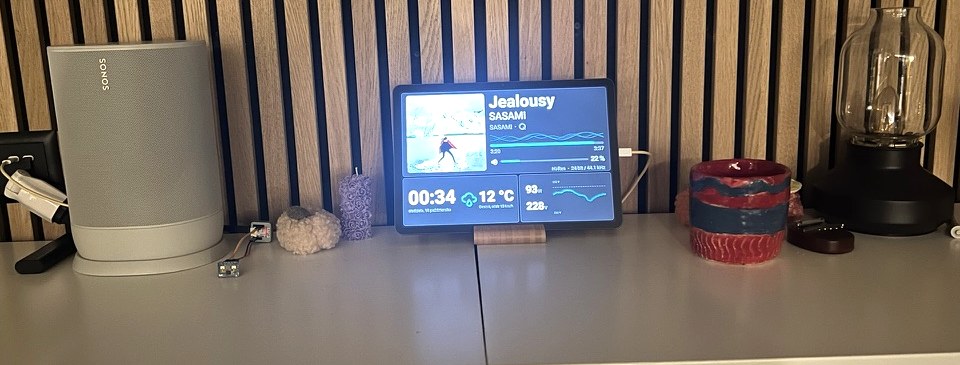
Follow a numbered detail to the component behind it. These are photographs of one personal installation, not a customer project or a live demo.
A CHANGE WORTH WRITING DOWN
Not every home has plant sensors. Not every tablet needs a photo album.
In Ramka 0.2.0, climate, air, plants and photos became optional. Leave out an input and the corresponding page is left out of the rendered dashboard and its rotation.
The shared component stays the same. Each home decides what belongs on its screen.
Read the actual release notes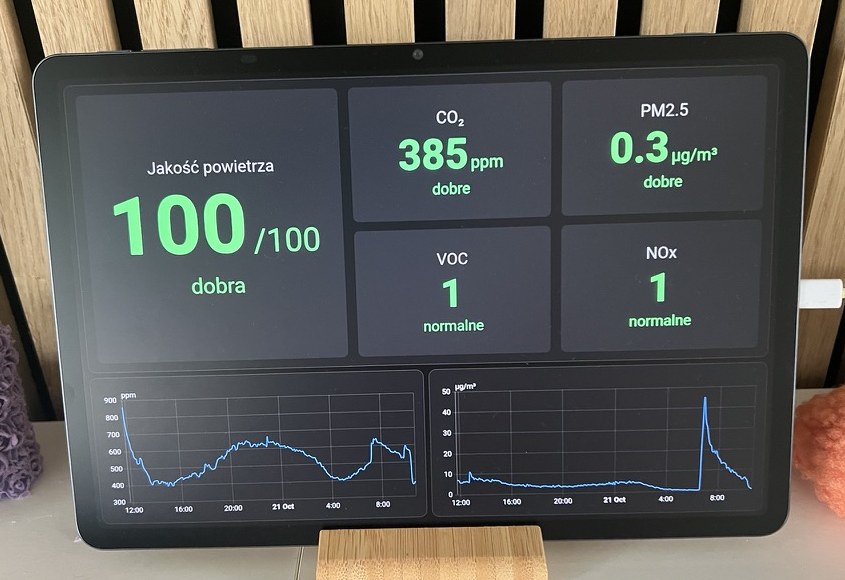
“I don’t have plant sensors. Leave that page out.”
plants is an optional input in the selected release.Illustrative workflow · Claude Code or Codex · no connection to your home from this website
THE REUSABLE PART
Each entry has a version, requirements
and a record of what was tested.
NOTE One installation is a starting point. Automated checks validate configuration; suitability for another home still needs to be tested.
AN OPEN FOUNDATION
For home builders, developers
and professional installers.
Choose components, pin their versions and keep household configuration in your own private project.
Create a project ↗Add device support, improve agent skills or document a test in another home. Share reusable work through pull requests.
Contribution guide ↗Apache-2.0 allows commercial use. Installers can build client projects on the framework; implementation and support are separate services.
Professional services ↗Early-stage project maintained by ZeroStoryPoints GmbH. Current field evidence comes from one personal installation; broader hardware and home coverage is work to contribute.
DomoSenso is a framework for building Home Assistant setups with coding agents and versioned components. Your home’s configuration lives in its own repository.